Debouncer waits for quiet
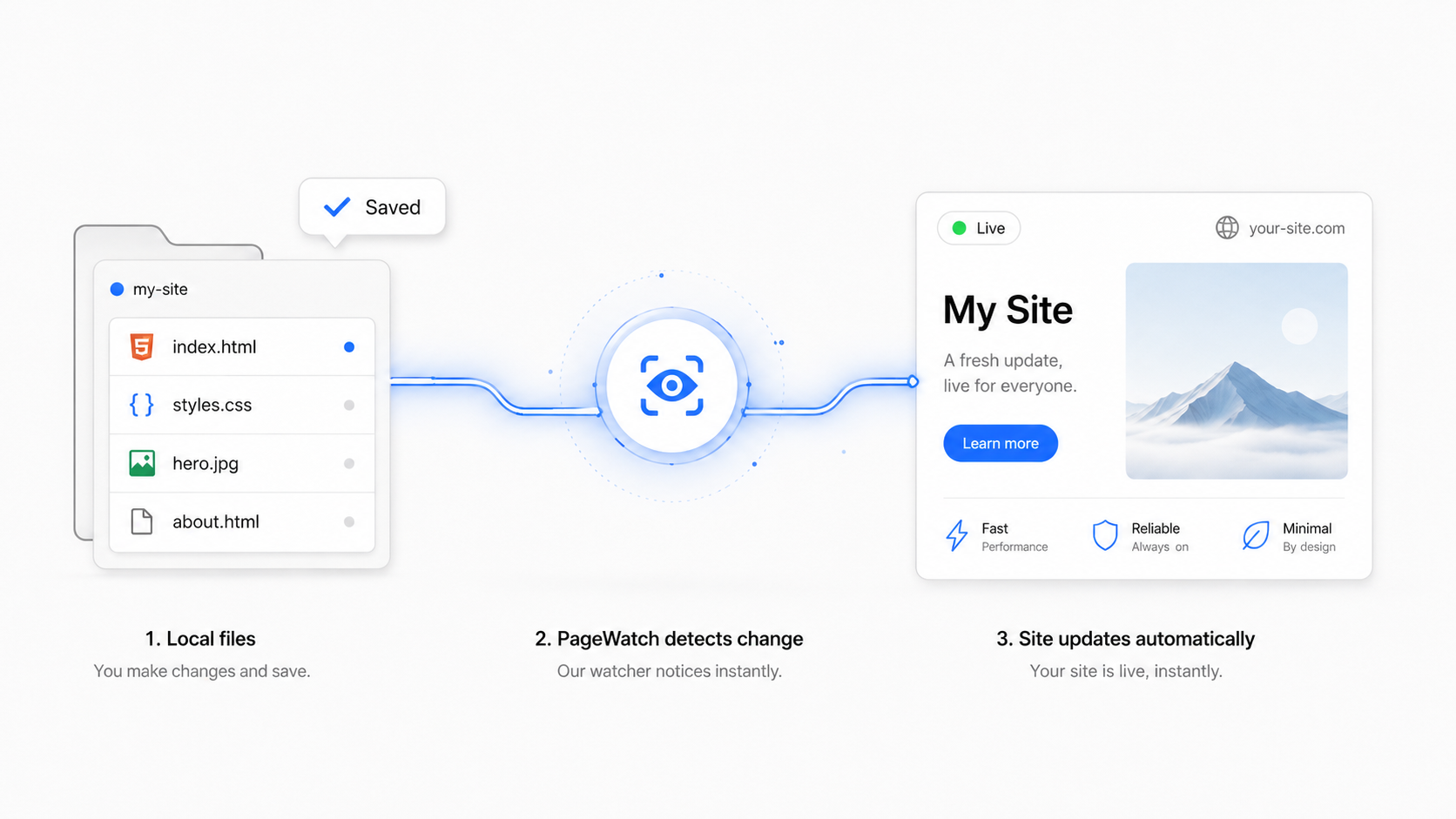
Rapid saves are grouped together. PageWatch waits for the configured quiet window, then deploys once.
Botslang Labs tool
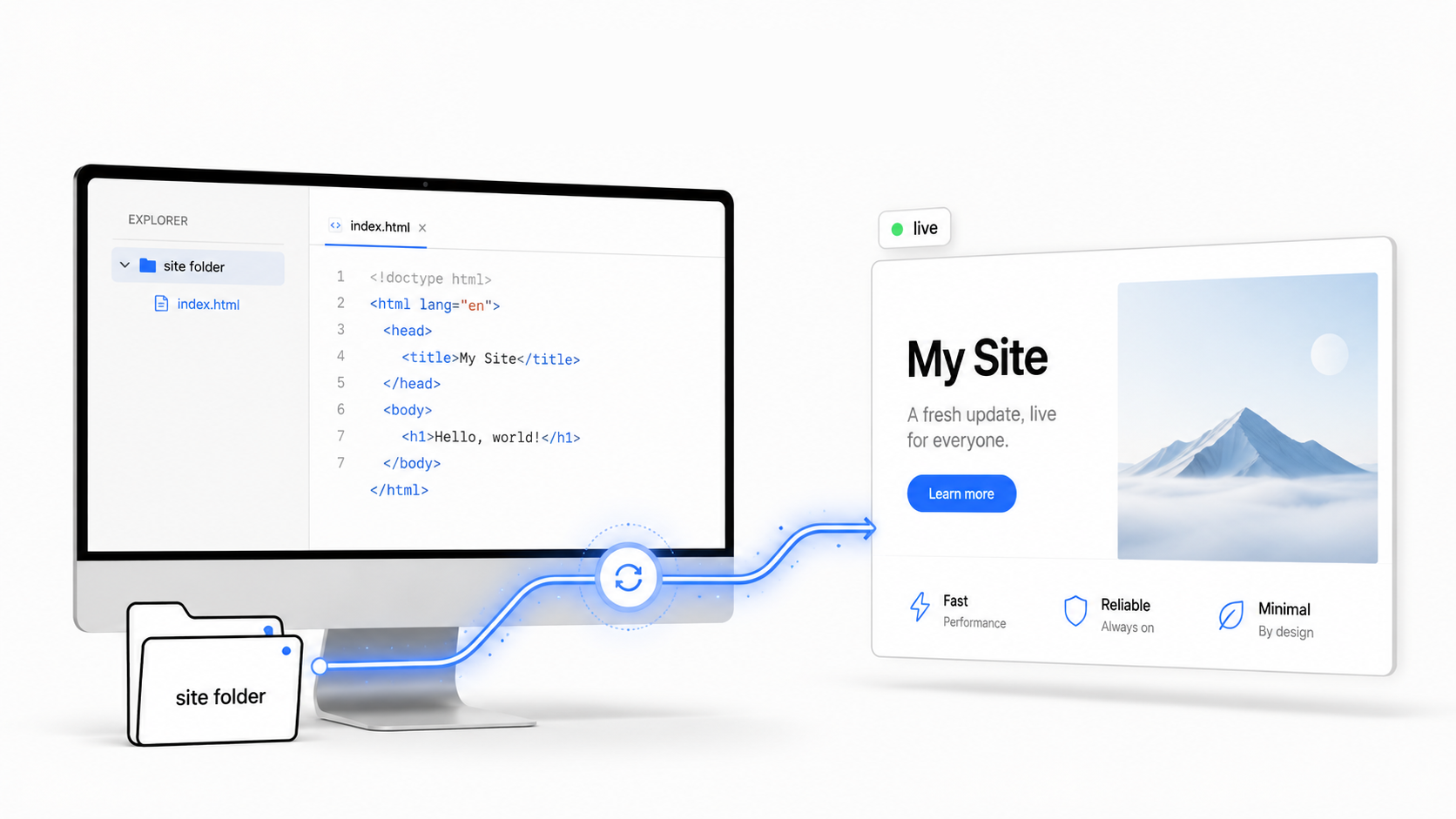
PageWatch watches a static site folder, publishes it to Cloudflare Pages or a Cloudflare Worker, and can install itself as a background service on macOS or Linux. No dashboard loop, no Git ritual, no deploy command to remember.

Download pagewatch.sh, then use the setup section to install it once. The installer copies the script into ~/.pagewatch, so it is safe to start from Downloads.
WATCH_DIR="${WATCH_DIR:-./site}"
PROJECT_NAME="${PROJECT_NAME:-botslang}"
DEPLOY_TARGET="${DEPLOY_TARGET:-pages}"
WORKER_NAME="${WORKER_NAME:-$PROJECT_NAME}"
DEBOUNCE="${DEBOUNCE:-3}"
LIVE_URL="${LIVE_URL:-}"

deploy() {
  if [ "$DEPLOY_TARGET" = "worker" ]; then
    wrangler --install-skills=false deploy "$WATCH_DIR" --name "$WORKER_NAME" --keep-vars
  else
    wrangler --install-skills=false pages deploy "$WATCH_DIR" --project-name "$PROJECT_NAME"
  fi
  [ -n "$LIVE_URL" ] && curl -fsSI "$LIVE_URL?pagewatch=$(date +%s)" >/dev/null
}

case "${1:-}" in
  --install-service) install_service ;;  # launchd on macOS, systemd user service on Linux
  --status) status_service ;;
  --once) deploy ;;
  "") run_watch ;;
esacAfter the script is downloaded, pick the Cloudflare target that actually serves your domain, then install the watcher once. It copies itself out of Downloads, writes its settings, and starts a background service.
# 1. Install the Cloudflare CLI
npm i -g wrangler
wrangler --version

# If that says "command not found", expose npm's global bin:
mkdir -p ~/.local/bin
ln -sf "$(npm prefix -g)/bin/wrangler" ~/.local/bin/wrangler
export PATH="$HOME/.local/bin:$PATH"
wrangler --version

# 2. Install a file watcher
brew install fswatch
# Ubuntu/Debian: sudo apt-get install inotify-tools

# 3. Sign in to Cloudflare
wrangler login

# 4A. Cloudflare Pages: create the project once, then install PageWatch
wrangler pages project create botslang
# If it asks for a production branch name, press Enter.
# PageWatch deploys this folder directly; no Git branch is required.

cd ~/Downloads
chmod +x pagewatch.sh
WATCH_DIR=/absolute/path/to/site PROJECT_NAME=botslang LIVE_URL=https://your-domain.com ./pagewatch.sh --install-service
# Optional: add DEBOUNCE=10 to wait 10 quiet seconds before deploying.

# 4B. Cloudflare Worker static assets: install against the Worker name
cd ~/Downloads
chmod +x pagewatch.sh
WATCH_DIR=/absolute/path/to/site DEPLOY_TARGET=worker WORKER_NAME=your-worker-name LIVE_URL=https://your-domain.com ./pagewatch.sh --install-service
# Optional: add DEBOUNCE=10 to wait 10 quiet seconds before deploying.

# Check it later
~/.pagewatch/pagewatch.sh --status
tail -f ~/.pagewatch/pagewatch.log

# Change debounce later by reinstalling with a new value.
DEBOUNCE=10 WATCH_DIR=/absolute/path/to/site PROJECT_NAME=botslang LIVE_URL=https://your-domain.com ~/.pagewatch/pagewatch.sh --install-serviceRapid saves are grouped together. PageWatch waits for the configured quiet window, then deploys once.
The first run publishes immediately, then waits for the next save.
Point it at HTML, CSS, images, or a built output folder from another tool.
macOS uses launchd. Linux uses a systemd user service.
The folder stays wherever you edit it. Cloudflare hosts the published result.
For Codex, Claude Code, Hermes, or another coding agent. Copy the full BotSlang and paste it into a new agent session; the agent can come back to this page, download the script, install the watcher, and verify the live deploy.
BTSLNG/PAGEWATCH/INSTALL
Copy-ready agent instructions
You are helping me install PageWatch from Botslang Labs.

Source page:
https://botslang.com/pagewatch/

Goal:
Install PageWatch so edits to my static site folder automatically deploy to the Cloudflare target that serves my real public domain. Do the setup end to end, verify it, and explain the exact status/log command I can use afterward.

Rules:
- Treat this as an implementation task, not advice-only.
- Do not ask me to manually download or inspect files if you can do it from the terminal.
- Do not expose Cloudflare tokens, account secrets, or auth files in the chat.
- Do not use destructive commands.
- Use absolute paths for WATCH_DIR.
- If the user wants fewer deploys during rapid editing, set DEBOUNCE to a larger number of quiet seconds.
- If something fails, read the generated logs and fix the actual cause.

Steps:
1. Open or fetch https://botslang.com/pagewatch/ and download the script at:
   https://botslang.com/pagewatch/pagewatch.sh
2. Put the script in a runnable local path, for example ~/Downloads/pagewatch.sh, and run:
   chmod +x ~/Downloads/pagewatch.sh
3. Make sure prerequisites exist:
   - Node.js
   - Wrangler
   - curl
   - macOS: fswatch
   - Linux: inotify-tools
   If wrangler is missing, install it with npm or use npx. If a global wrangler install is not on PATH, fix PATH or symlink it into ~/.local/bin.
4. Confirm Cloudflare auth:
   wrangler whoami
   If not authenticated, run wrangler login and wait for me to complete browser login.
5. Determine the Cloudflare target that serves my real domain:
   - If the domain is served by Cloudflare Pages, use DEPLOY_TARGET=pages and PROJECT_NAME=<pages-project>.
   - If the domain is served by a Cloudflare Worker static-assets app, use DEPLOY_TARGET=worker and WORKER_NAME=<worker-name>.
   - If this is unclear, inspect Cloudflare via wrangler where possible and ask one concise question with the likely options.
6. For Cloudflare Pages only, create the Pages project once if needed:
   wrangler pages project create <pages-project>
   If it asks for a production branch name, press Enter. PageWatch deploys the folder directly, so no Git branch is required.
7. Install PageWatch as a background service with the downloaded script:
   For Pages:
   WATCH_DIR=/absolute/path/to/site PROJECT_NAME=<pages-project> LIVE_URL=https://example.com ~/Downloads/pagewatch.sh --install-service

   For Worker static assets:
   WATCH_DIR=/absolute/path/to/site DEPLOY_TARGET=worker WORKER_NAME=<worker-name> LIVE_URL=https://example.com ~/Downloads/pagewatch.sh --install-service

   Optional debounce:
   DEBOUNCE=10 WATCH_DIR=/absolute/path/to/site PROJECT_NAME=<pages-project> LIVE_URL=https://example.com ~/Downloads/pagewatch.sh --install-service
   Re-run --install-service with a new DEBOUNCE value later to change it.
8. Verify:
   ~/.pagewatch/pagewatch.sh --status
   The service should be running:
   - macOS: launchd LaunchAgent
   - Linux: systemd user service
   The log should include:
   live - checked https://example.com
9. Make or touch a harmless file in WATCH_DIR, wait for PageWatch to deploy, then verify the public LIVE_URL changed or at least produced a new successful deploy log.
10. Report back:
   - WATCH_DIR
   - DEPLOY_TARGET
   - PROJECT_NAME or WORKER_NAME
   - LIVE_URL
   - DEBOUNCE
   - service type
   - status command
   - log path
   - latest successful deploy/version if available

Useful commands:
~/.pagewatch/pagewatch.sh --status
tail -f ~/.pagewatch/pagewatch.log
~/.pagewatch/pagewatch.sh --uninstall-servicePageWatch keeps the loop small: your folder changes on your own machine, the watcher notices, and the public site follows soon after.